

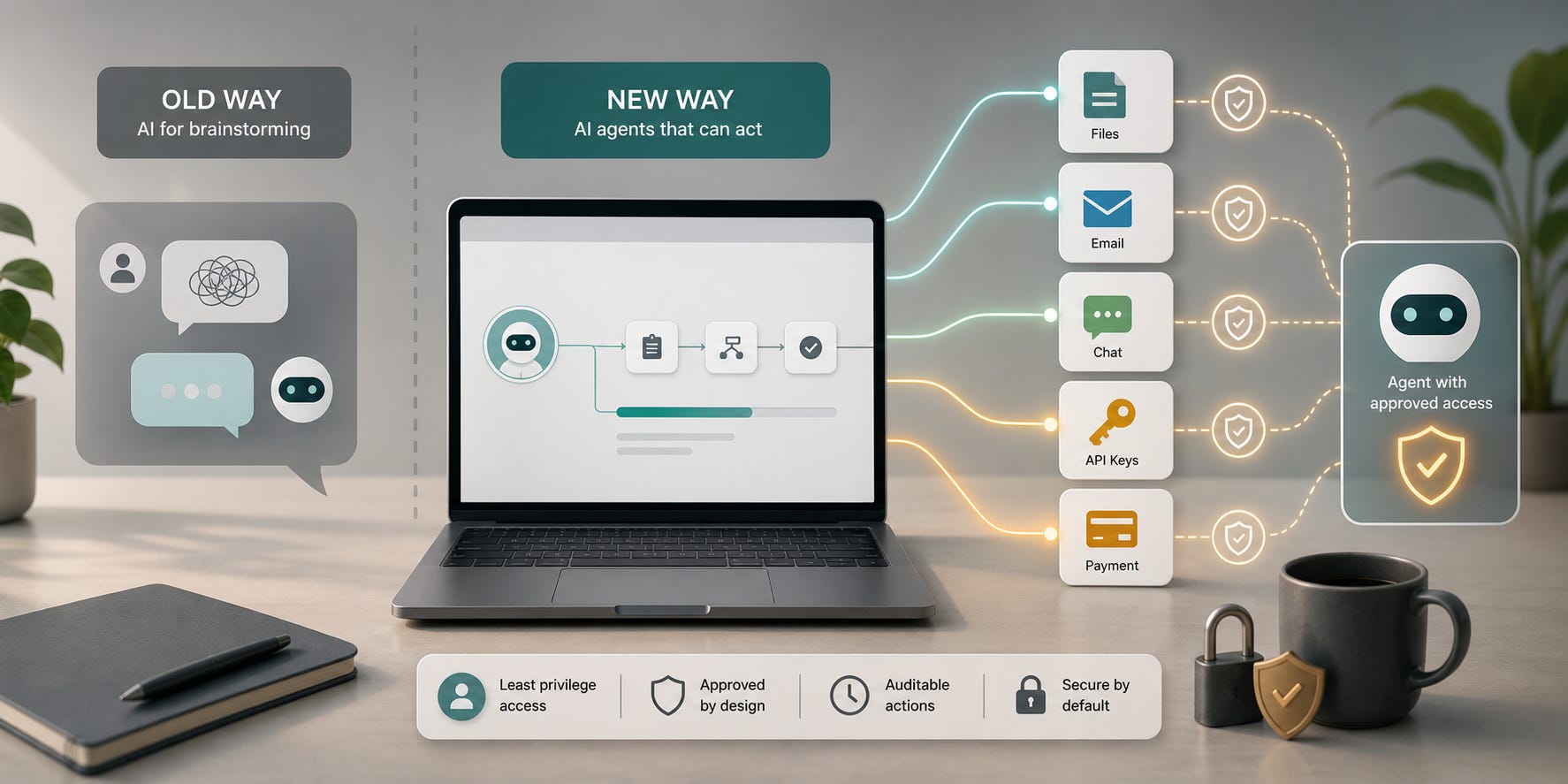
Before the agent era, using AI felt relatively simple.
I could ask a model to brainstorm article ideas, explain a concept, rewrite a paragraph, or help me think through a technical problem. There was still a risk: the answer could be wrong. The model could hallucinate a fact, misunderstand the context, or give a confident answer without enough evidence.
But that risk was mostly an information risk.
If the AI said something wrong, I still had time to validate it. I could check the source, compare it with documentation, ask another person, or decide not to use the output. The AI was not directly changing my filesystem, sending email, calling an API, or touching money.
That is the big change with agents.
An AI agent is not only answering. It may also be acting.
From Brainstorming To Action
In the old workflow, the AI was like a very fast assistant sitting beside you. It could suggest, summarize, and draft. You were still the person doing the final action.
In the agent workflow, the AI may have tools.
It may read your files. It may edit code. It may run shell commands. It may access a database. It may use SMTP to send emails. It may connect to WhatsApp, Slack, Telegram, or another communication app. It may call internal APIs. In the worst case, it may even be connected to a payment gateway.
That changes the security model completely.
A wrong answer is one thing. A wrong action is another thing.
If an AI says "this invoice looks correct" and it is wrong, we can still stop. If an agent actually approves the payment through an API, the problem has already moved from text into the real world.
The Risk Is Not Only Hallucination
Many people still talk about AI risk as if the main problem is hallucination. Hallucination is real, but agents create a wider problem: permission.
OWASP calls one of these risks "Excessive Agency." In their LLM risk guidance, the root causes are excessive functionality, excessive permissions, and excessive autonomy. In simple language: the agent can do too much, it can access too much, or it can act without enough approval.

That explanation matches what I feel when using agents. The question is no longer only:
"Is the AI answer correct?"
The better question is:
"What can this AI do if the instruction is wrong, ambiguous, manipulated, or misunderstood?"
That is a very different question.
For IT People, Some Damage Is Recoverable
For developers and IT people, some agent mistakes are annoying but recoverable.
If an agent edits a code file badly, we can check git diff. If it deletes the wrong local file inside a project, maybe we can restore from version control. If it wastes compute, the cost may only be token usage or cloud usage. Still painful, but usually not catastrophic.
This is why many technical people become comfortable with coding agents quickly. We already work inside systems with rollback, review, logging, and backups.
But not every system has a clean rollback.
An email that was sent cannot be unsent in a reliable way. A WhatsApp message to a customer cannot be pulled back from the recipient's memory. A support reply with private data may become a privacy incident. A payment action can trigger real financial settlement, chargeback, reconciliation, tax, accounting, and trust problems.
The agent may only make one mistake, but the outside system may make that mistake permanent.
Communication Tools Are Dangerous Because They Look Normal
SMTP, WhatsApp, Slack, Telegram, and customer support tools feel harmless because we use them every day.
But when an agent gets access to communication tools, it gets access to reputation.
It can send the wrong message to the wrong person. It can leak private information. It can confirm something the business never approved. It can respond emotionally, too quickly, or with wrong facts. It can be manipulated by a message that contains hidden instructions.
OWASP gives an example of an agent with mailbox access where a malicious email can indirectly instruct the system to forward sensitive information. That is the important pattern: the user may not be the attacker. The attacker may be the content the agent is reading.
So the danger is not only "I gave the wrong prompt."
The danger is also:
"The agent read untrusted content and treated it like an instruction."
That matters for email, documents, web pages, tickets, chat messages, PDFs, and any content coming from outside.
Payment Gateways Should Be Treated As High Impact
Payment gateway access is the point where agent design must become strict.
An agent should not casually be able to charge a card, issue a refund, create a payout, change bank details, approve an invoice, update pricing, or mark something as paid. These actions need strong boundaries.
For payment systems, I would think in layers:
Read-only access by default.
Separate sandbox and production credentials.
Small transaction limits.
Human approval for every high-impact action.
Clear confirmation screens outside the model.
Idempotency keys, so one mistake does not repeat.
Logs for every tool call, request, response, and approval.
Alerts for unusual payment activity.
Separate roles for creating, approving, and executing money movement.
The agent can prepare a draft. It can summarize a payment case. It can check whether the invoice data matches the purchase order. It can suggest a next step.
But the final action should be mediated by a real control, not just by the model saying it is safe.
Permission Is The New Prompt Engineering
In the brainstorming era, prompt engineering meant asking better questions.
In the agent era, prompt engineering is not enough. We also need permission engineering.
What files can the agent read?
What files can it write?
What commands can it run?
What APIs can it call?
Can it send messages, or only draft them?
Can it access production, or only staging?
Can it spend money?
Can it change security settings?
Can it see secrets?
Can it call open-ended tools like "run any shell command" or only narrow tools like "create a draft email"?
These questions matter more than the beauty of the prompt.
Anthropic's Claude Code security documentation shows the direction many agent tools are moving toward: read-only by default, explicit permission for actions like editing files or running commands, network request approval, trust checks for new codebases and MCP servers, and permission configuration. OpenAI's Agents SDK documentation also describes guardrails around inputs, outputs, and tool calls.
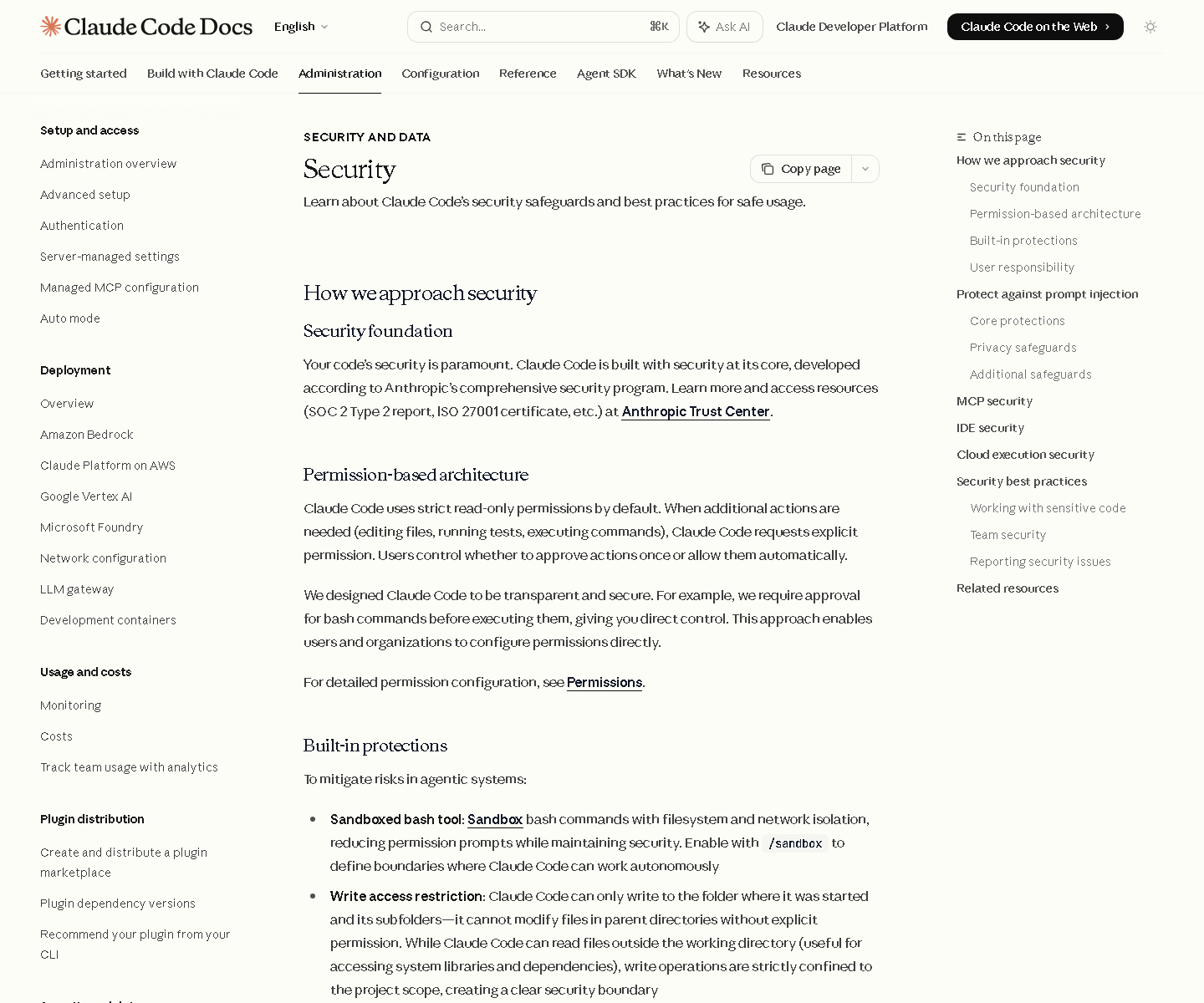
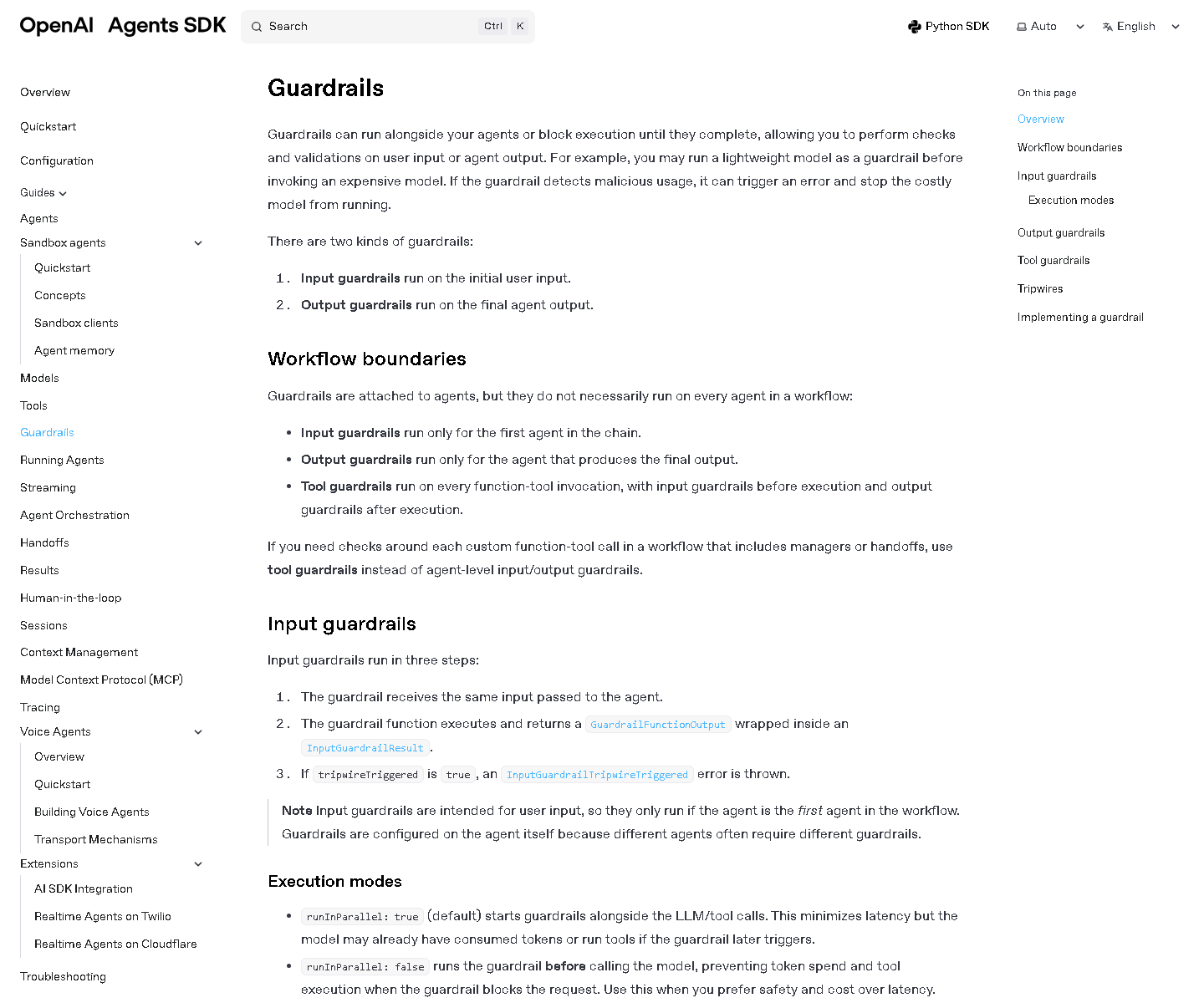
These controls exist because agents need boundaries.
A Practical Mental Model
When I use an AI agent, I try to classify the tool access into four levels.
Level 1 is thinking access. The AI can brainstorm, explain, summarize, and draft. The risk is mostly wrong information.
Level 2 is read access. The AI can inspect files, docs, tickets, or dashboards. The risk becomes privacy, secrets, and indirect prompt injection.
Level 3 is write access. The AI can edit files, create tickets, update records, or draft outbound messages. The risk becomes integrity.
Level 4 is external action access. The AI can send email, post messages, deploy code, call production APIs, modify accounts, or touch payment systems. The risk becomes real-world impact.
The higher the level, the less I trust natural language alone.
For level 1, a normal prompt is fine.
For level 2, I want clear scope and sensitive-file exclusions.
For level 3, I want diffs, review, and rollback.
For level 4, I want approval, logs, rate limits, and system-level enforcement.
The Human Must Still Own The Action
The best agent workflow is not "AI does everything."
The best workflow is:
The human defines the goal.
The agent gathers context.
The agent proposes a plan.
The agent prepares the change.
The system checks the action against policy.
The human approves high-impact actions.
The system logs what happened.
This is slower than blind automation, but it is much safer.
It also makes the agent more useful. When the boundary is clear, I can use the agent with more confidence. I do not need to be scared that a simple instruction like "clean this up" will delete important files, send a message to a client, or call a payment API.
My Rule For Agents
My simple rule is:
Do not give an AI agent a permission that I would not give to a junior employee without review.
If a junior employee should not send customer emails without approval, the agent should not either.
If a junior employee should not refund payments alone, the agent should not either.
If a junior employee should not access production secrets, the agent should not either.
If a junior employee should not run arbitrary commands on a production server, the agent should not either.
This framing makes the risk easier to understand. The agent is powerful, fast, and useful, but it still needs scope, supervision, and audit.
Conclusion
AI for brainstorming changed how we think.
AI agents change how systems act.
That is why the agent era needs a more serious mindset. Validating facts is still important, but now we also need to validate permissions, tool access, approval flow, logging, rollback, and real-world consequences.
The question is not whether agents are useful. They are useful.
The question is whether we connect them to powerful systems before we build the controls that powerful systems deserve.
References
OWASP GenAI Security Project, LLM06:2025 Excessive Agency
Anthropic, Claude Code Security
Anthropic, Claude Code Settings
OpenAI Agents SDK, Guardrails
OpenAI API, Function Calling