
Secure Astro 5 Contact Forms with Resend and Upstash
Build a production-ready contact form in Astro 5. Learn to integrate Resend for emails and Upstash Redis for rate limiting to block spam effectively.

A contact form might look simple on the surface, but in production it carries real responsibility. It handles user data, triggers emails, and becomes a direct entry point to your system.
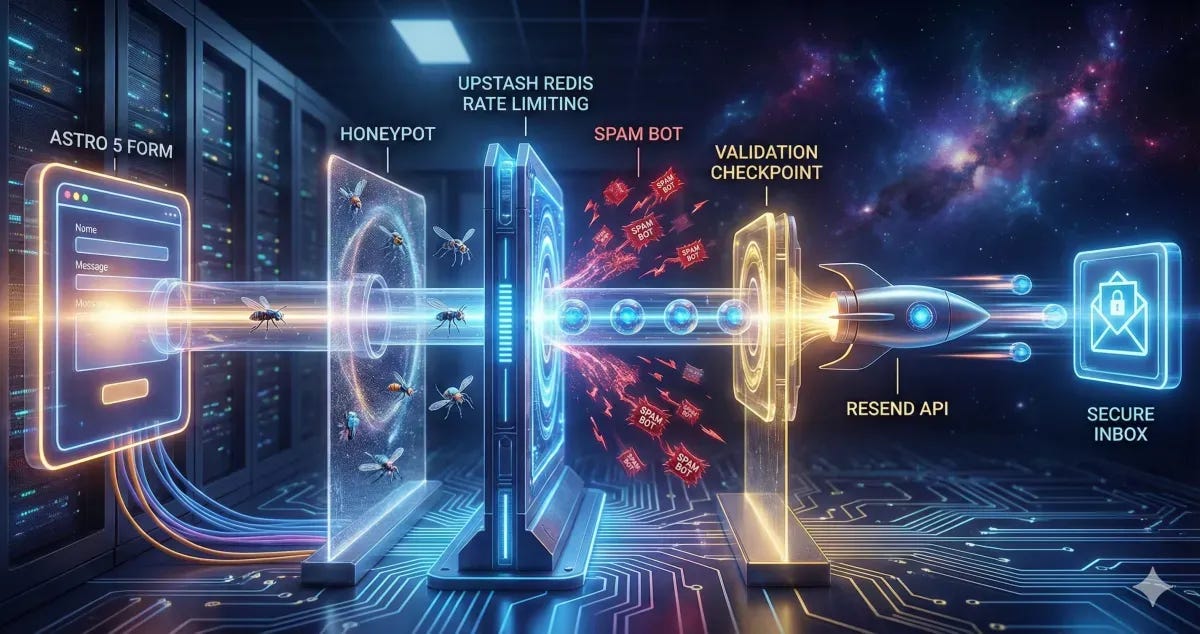
That’s why it needs three things from day one: reliability, strong security, and proper spam protection.
I’ve recently been setting up a solar energy website, and the shift from "Demo Mode" to "Production Mode" required a complete architectural pivot. Here is exactly how to do it.
The Stack: Why Resend + Upstash?
Modern web development demands serverless-friendly solutions:
Resend: It’s built for developers. The API is clean, the dashboard is beautiful, and the deliverability is top-tier.
Upstash Redis: Client-side validation is a joke for bots. You need a server-side shield. Upstash gives you a serverless Redis instance that handles rate limiting with zero cold starts.
Step 1: Setting Up the Email Engine (Resend)
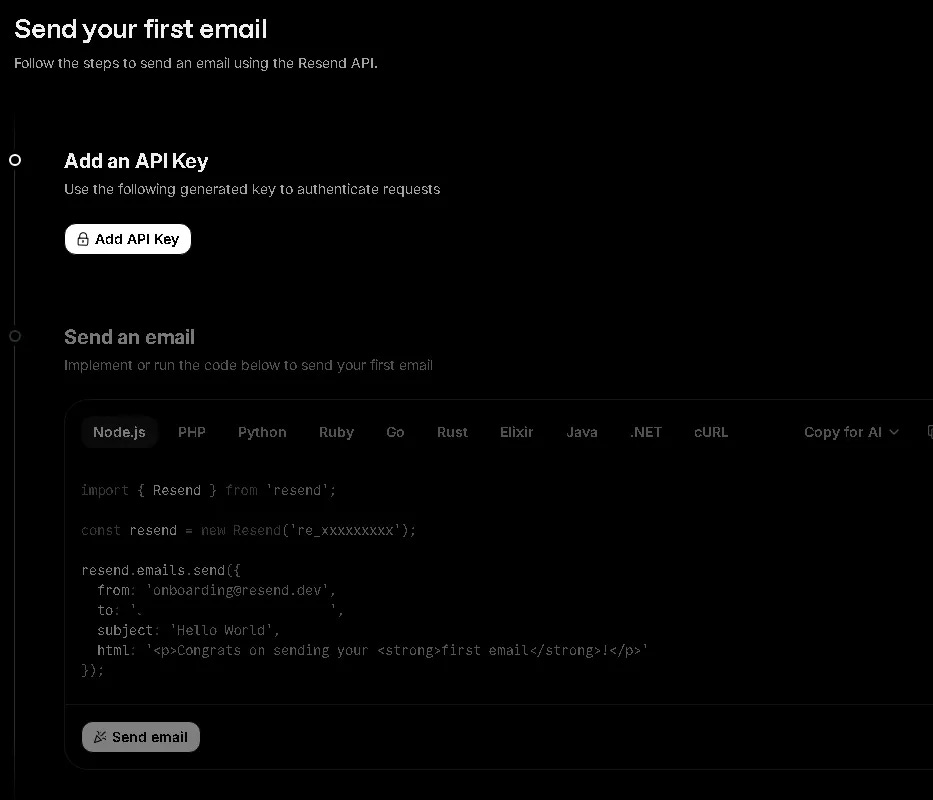
First, forget about configuring SMTP ports. With Resend, you just need an API Key.
The Trap: When you first sign up, you are restricted to
onboarding@resend.dev.The 403 Error: Many devs hit a wall here. You cannot send emails to any recipient other than yourself until you verify your domain.
Pro Tip: If you need to send to a business email (e.g., admin@example.com) before your DNS propagates, just forward your Resend-verified personal email to the office inbox. It’s a 2-minute hack that saves hours.
Step 2: Implementing the Rate Limiting Shield
Bots love contact forms. If you don't rate limit, you'll wake up to 10,000 spam emails and a suspended API account.
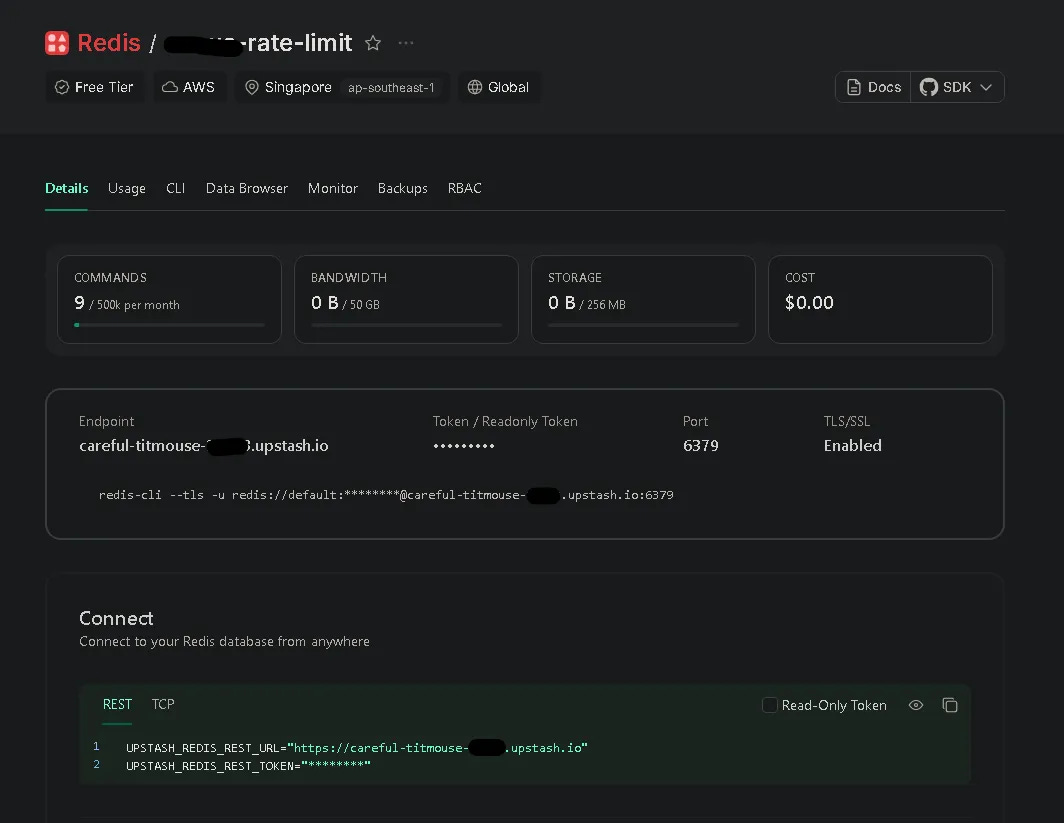
We use Upstash Redis to track IP addresses. By setting a 30-second window for each submission, we ensure that a single user (or bot) can't spam the "Submit" button. It’s the difference between a professional site and an expensive mistake.
Step 3: Leveraging Astro Actions for Type Safety
Astro 5 introduced Actions, and it changed many thing. Instead of manually handling API routes and parsing JSON, Actions allow you to:
Define a strict schema using Zod.
Handle form data directly on the server.
Get full type safety on the client side.
It makes the "Loading" and "Error" states easy to manage. No more messy fetch() calls with nested try/catch blocks.
Dealing with the "Cross-site POST" Error in Production
When you move your Astro site to a VPS or a specific hosting provider, you might encounter a frustrating error: Cross-site POST form submissions are forbidden.
This is Astro's built-in CSRF protection. If the Origin header doesn't match your site configuration in astro.config.mjs, Astro blocks the submission. This often happens when you're behind a proxy (like Nginx) or using a custom domain that doesn't perfectly match your config.
The Fix: You can ensure your site property in astro.config.mjs matches your production URL exactly. Alternatively, if you're behind a proxy that strips or modifies headers, you can disable this check:
// astro.config.mjs
export default defineConfig({
  // ...
  security: {
    checkOrigin: false
  }
});
The "Honeypot" Technique: Invisible Security
One of my favorite tricks included in this setup is the Honeypot field. We add a hidden input that is invisible to humans but visible to bots. If a bot fills it out, the server immediately rejects the request without even calling the email API. It's a silent, effective killer for 90% of automated spam.
The Implementation: From Client to Inbox
To understand how this template works, here is the journey of a single form submission:
User fills the form: Client-side validation (HTML5) does a quick check.
JavaScript Interception: The browser prevents a full-page reload and sends data via Astro Actions.
Honeypot Check: The server checks if the "hidden" field is filled. If yes -> Reject.
Rate Limit Check: Redis (Upstash) checks the user's IP. If too many requests -> Reject.
Zod Validation: Server-side schema validation ensures data is clean.
Email Dispatch: Resend API sends the data to your inbox.
UI Feedback: The user sees a success message without the page flickering.
1. The Server Action (The Brain)
// src/actions/index.ts
import { Resend } from "resend";
import { Redis } from "@upstash/redis";

const resend = new Resend(import.meta.env.RESEND_API_KEY);
const redis = new Redis({
  url: import.meta.env.UPSTASH_REDIS_REST_URL,
  token: import.meta.env.UPSTASH_REDIS_REST_TOKEN,
});

export const server = {
  send: defineAction({
    accept: "form",
    input: z.object({
      name: z.string().min(3),
      email: z.string().email(),
      company: z.string().optional(), // Honeypot
    }),
    handler: async ({ name, email, company }, context) => {
      // 1. Honeypot check
      if (company) throw new ActionError({ code: "BAD_REQUEST" });

      // 2. Rate limiting (Upstash Redis)
      const ip = context.request.headers.get("x-forwarded-for") || "unknown";
      const { success } = await redis.incr(`limit:${ip}`);
      // (Add logic to check count and set expiry here)

      // 3. Send email (Resend)
      await resend.emails.send({
        from: import.meta.env.RESEND_EMAIL,
        to: import.meta.env.FROM_EMAIL,
        subject: `New Message from ${name}`,
        text: `Sender: ${email} \nMessage: ...`,
      });

      return { success: true };
    }
  })
};
2. The Form UI (The Face)
<!-- src/components/sections/contact/ContactForm.astro -->
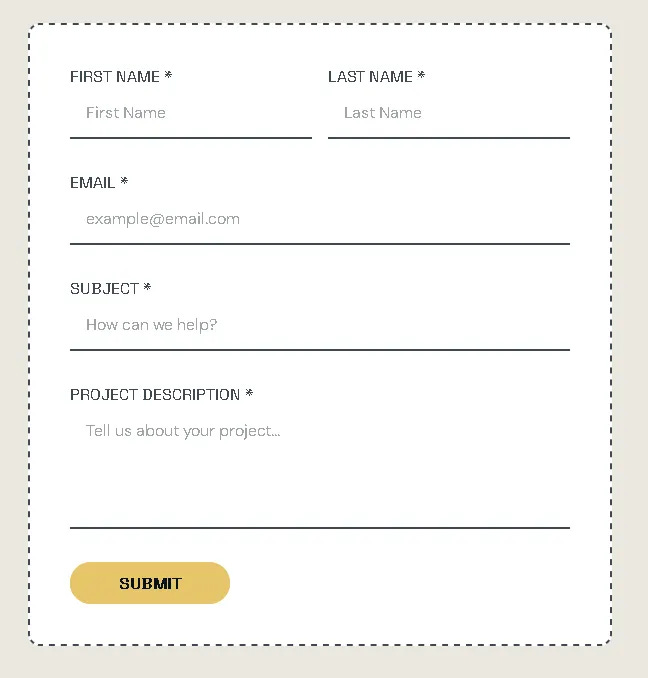
<form id="contact-form">
  <!-- Invisible to humans -->
  <input name="company" style="display:none" tabindex="-1" />

  <input name="name" required />
  <input name="email" type="email" required />

  <button id="submit-btn">Submit</button>
</form>
3. The Submission Logic (The Bridge)
// Client-side Script
const { error } = await actions.send(new FormData(form));

if (error) {
  // Show error in UI
} else {
  // Show success and reset form
}
Conclusion
By combining Astro 5 Actions, Resend, and Upstash, we’re building more than a form. We’re building a secure, reliable gateway for your business.
If this helped you level up your production mindset, give it a clap, share it with fellow devs, and follow for more practical, security-focused breakdowns.