
RustScan Has Trade-Offs And Works Best With Nmap
RustScan is incredibly fast but noisy and lacks deep analysis. Discover why pairing its speed with Nmap's thoroughness is the best scanning strategy.

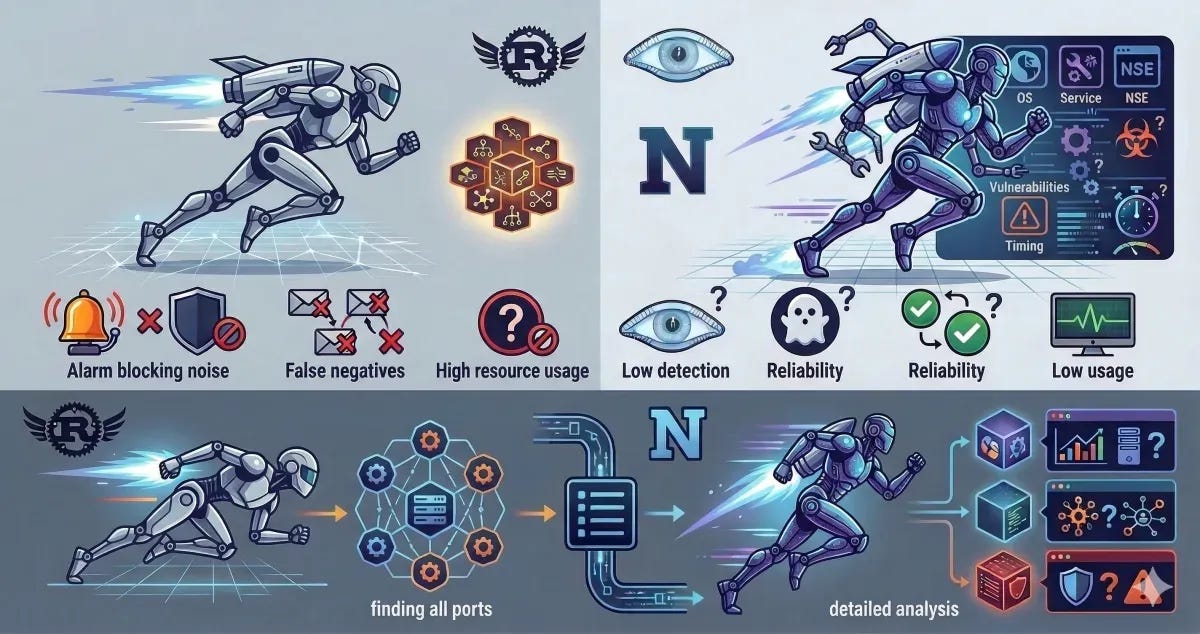
RustScan is often praised for its incredible speed, but it's important to understand that this speed comes with certain compromises. While it's a powerful tool in a pentester's arsenal, it's designed to complement—not replace—industry standards like Nmap.
1. Speed (The Core Strength of RustScan)
RustScan is built with Rust and utilizes massive parallel scanning.
This means:
It can open thousands of TCP connections simultaneously.
A default port scan can complete in 1–3 seconds.
It's extremely efficient at identifying which ports are open.
Example comparison:
| Tool | Scanning 65,535 ports | | -------- | ------------------------------ | | Nmap | 1–5 minutes (depending on settings) | | RustScan | 1–5 seconds |
RustScan achieves this through asynchronous socket scanning.
2. Trade-off #1 — Significantly Fewer Features
This is the biggest trade-off.
Nmap offers a comprehensive feature set
OS detection
Service detection
Version detection
Scripting engine (NSE)
Vulnerability scanning
Traceroute
UDP scanning
Network discovery
RustScan does not do these things.
RustScan focuses on one thing only:
finding open ports as fast as possible
A typical workflow looks like this:
RustScan → finds open ports
↓
Nmap → performs detailed analysis on those ports
Common pipeline example:
rustscan -a 192.168.1.1 -- -sV -sC
RustScan scans the ports → then automatically calls Nmap to handle the rest.
3. Trade-off #2 — "Noisier" on the Network
Because RustScan opens many connections at once, the effects are:
It is more easily detected by IDS/IPS.
It can look exactly like a port scan attack.
Some firewalls will immediately block your IP.
In contrast, Nmap allows for:
Throttled scanning
Stealth scanning
Precise timing control
Example in Nmap:
-T0  (paranoid)
-T5  (insane)
RustScan lacks this level of flexibility.
4. Trade-off #3 — Risk of False Negatives
Due to its aggressive scanning nature:
Firewalls might drop packets.
Servers might apply rate limiting.
Some ports might go undetected.
Nmap remains more stable and reliable for serious, thorough scanning.
5. Trade-off #4 — Resource Usage
RustScan opens thousands of sockets.
If your OS limit is low, you might see:
too many open files
You often need to manually increase the limit:
ulimit -n 5000
Nmap is generally safer for systems with limited resources.
6. Usage Philosophy (The Right Way)
Among pentesters, the standard approach is usually:
Phase 1 — Rapid Discovery
Use RustScan:
rustscan -a target.com
Phase 2 — Detailed Analysis
Use Nmap:
nmap -sC -sV -p 22,80,443 target.com
Since 80% of Nmap's scanning time is often spent just searching for open ports, RustScan significantly accelerates that initial phase.